Aerosmart UAV Trading L.L.C. is a tech company that specialises in drones and solutions in the UAE and across the GCC.
Aerosmart UAV Trading L.L.C. is a tech company that specialises in drones and solutions in the UAE and across the GCC.

Photogrammetry has seen some drastic changes in the last few days, fortunately for the better. With more sophisticated imaging tools and drones, today’s professionals depend heavily on this software. It quickly processes thousands of images to precise spatial models.
In simple terms, photogrammetry is the science that allows turning photographs into precise 3D data. This has perhaps become one of the most sought-after tools for construction workflows, mapping and modern surveying.
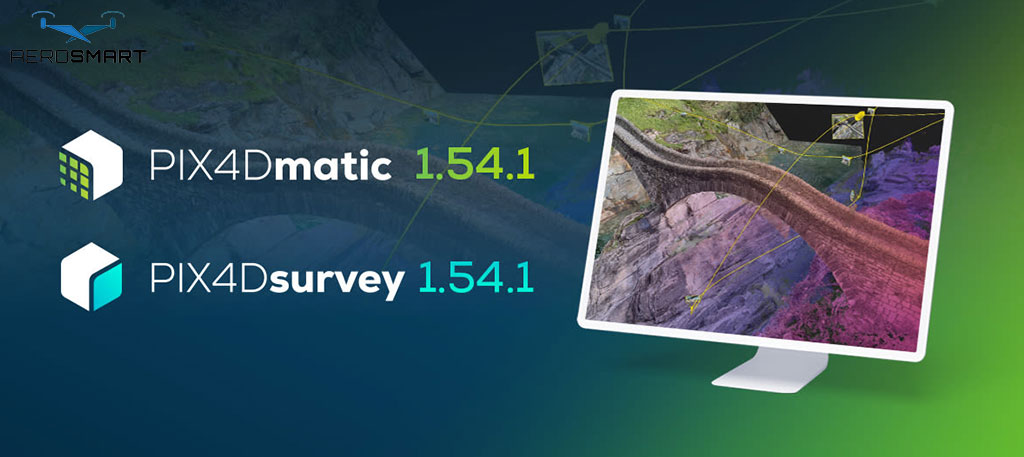
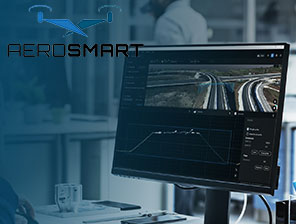
Working with this tech is the Pix4Dmatic software, a robust solution that can handle huge aerial and drone datasets. Known for its speed, efficiency and accuracy. This new generation of mapping tools has further streamlined the journey from image capture to usable geospatial outputs.
Often, software for photogrammetry is basically a desktop application that allows surveyors to process large-scale datasets. This helps simplify the workflow, creating high-quality outputs from raw data, ready for GIS, CAD or any further analysis. By ensuring that all the capturing, processing and exporting happen through a single software, Pix4Dmatic negates the requirement for multiple workflows and tools.
While you might think there are other software programs for the same purpose, they often struggle with the data sizes, forcing you to split projects. This is what makes it the perfect tool for tasks like topographic mapping, cadastral work, infrastructure monitoring or land surveying.
Now that you know what the software’s primary function is, it is time to learn more about what it offers. Here you can find a number of features that allow it to support the intricate spatial analysis and modelling needs.
Pix4Dmatic can help streamline your workflow in a unified space. Whether it is calibration and image alignment or georeferencing and 3D reconstruction. Having all of it in the same place can make your work quicker and more efficient.
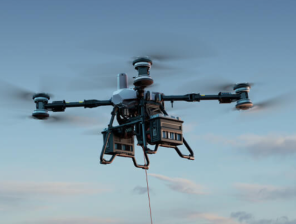
Where Pix4Dmatic wins over other such software is its ability to manage large volumes of datasets. It can process high-resolution images that are captured by the drone company UAE, allowing professionals to take on big projects without having to split datasets.
Pix4Dmatic is known for the range of deliverable formats you can use. This usually includes digital terrain models (DTM), dense point clouds, digital surface models (DSM), orthomosaics and vectors like GIS and CAD systems.
One thing that sets the software apart is how the results are export-ready. You can directly export them in industry-standard formats, allowing you easier integration with different workflows, and omitting any. Extra steps.
With this software, you can extract and then refine terrain surfaces, digitise key features and calculate contours and volumes directly in the software.
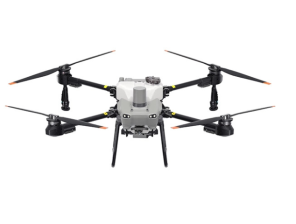
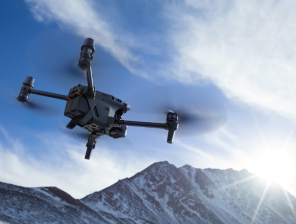
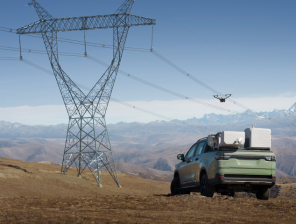
The process begins with capturing imagery. While a drone is usually used to do so, there are other methods as well. Once the photographs are collected, they are imported into the software for processing.
The software will then align all the recorded images with georeferencing and calibration data. With that done, it generates intricate textured models and 3D point clouds, constructing DTMs and DSMs for elevation analysis. Then the results come, for visual interpretation.
Many professionals across industries rely on such software. Some scenarios where this software can come in handy are:
These are some situations when this software can come in handy. Furthermore, the strong processing power and flexibility that the software provides make it suitable for both government and commercial applications.
The survey-grade outputs you get from here can help with precise measurement and analysis. This allows the data to be reliable for decision-critical tasks and engineering.
You can process large datasets quickly, making sure that professionals reduce field time, which can allow for faster results.
Whether you are maintaining a small site or an expanding landscape, Pix4Dmatic software has a range of services making it flexible to meet your requirements.
Since Pix4Dmatic would allow you to maintain a unified workflow, the workflows are quick and simple. Users are more focused and do not have to juggle between two or three software. This can help you streamline your workflow and use the resources the right way.
If you are new to this, there are some steps you can follow to ease into advanced photogrammetry. Start by hiring a drone company UAE and capturing high-quality aerial imagery. Once you have the images, upload them to Pix4Dmatic for processing. Once you get the outputs, review and refine the result, like orthomosaics and point clouds. With that, you are done and can export the results into GIS or CAD platforms for further project use.
These kinds of software represent a leap forward in photogrammetric processing and only ensure how sought-after the future for this is. With Pix4Dmatic you will get a powerful, streamlined tool, transforming terrestrial and aerial imagery into precise, actionable spatial data. The features and designedfor handling large databases and offer strong modelling capabilities.
Supported by companies like Aerosmart, a reputed drone company in UAE, the software fits perfectly into the broader ecosystem. This includes training, hardware and required operational support. They can help you with all your needs and ensure that you make the most of the software.
That said, whether you are monitoring construction sites, tackling land surveys or analysing the environment, software like Pix4Dmatic can help offer a comprehensive solution to get aerial insights to earth.
A geospatial and tech content specialist, the author here focuses on photogrammetry software, drone applications, and new mapping solutions. With an interest in translating such intricate ideas into accessible insights, the authorhelps professionals understand how it works. This blog will help you learn how aerial data, digital imaging and automation improve efficiency and decision making.
What can you use Pix4Dmatic for?
This software can help you convert aerial and drone images into 3D models, measurements and maps. You can use that for infrastructure projects, construction and surveying.
Who can benefit from this software?
Planners, engineers, inspectors and surveyors can benefit heavily from Pix4Dmatic mainly for its storage and processing of larger datasets to deliver precise outcomes.
Does it support large projects?
Yes, thatis one of the features of Pix4Dmatic that makes it an industry leader. This is also why it is perfectly suitable for long corridor projects and large-scale mapping.
How can a drone company support users?
The drone company can offer you training, help with hardware selection and integration support, while also providing workflow guidance.
What are some outputs you can expect out of Pix4Dmatic?
For starters, users can create all the typical formats, including orthomosaics, point clouds and terrain models. For advanced users, you can also export files that are compatible with GIS and CAD platforms.
Should a beginner use this software?
Even with all the advanced features the software comes with, it is suitable if you want to upscale your processes. There are many tutorials and guided workflows that make it rather accessible to new users.





✅ Thank you for reaching out. Your message has been successfully sent, and our team will get in touch with you shortly.