DJI Modify UAE | 3D Model Editing Software | Aerosmart
Aerosmart Drones | All types drones

Aerosmart UAV Trading L.L.C. is a tech company that specialises in drones and solutions in the UAE and across the GCC.
Our Office

Office 203, Al Tayer Commercial Building,
Rolla Street, Bur Dubai, UAE

Follow Us

DJI MODIFY
Shaping the World
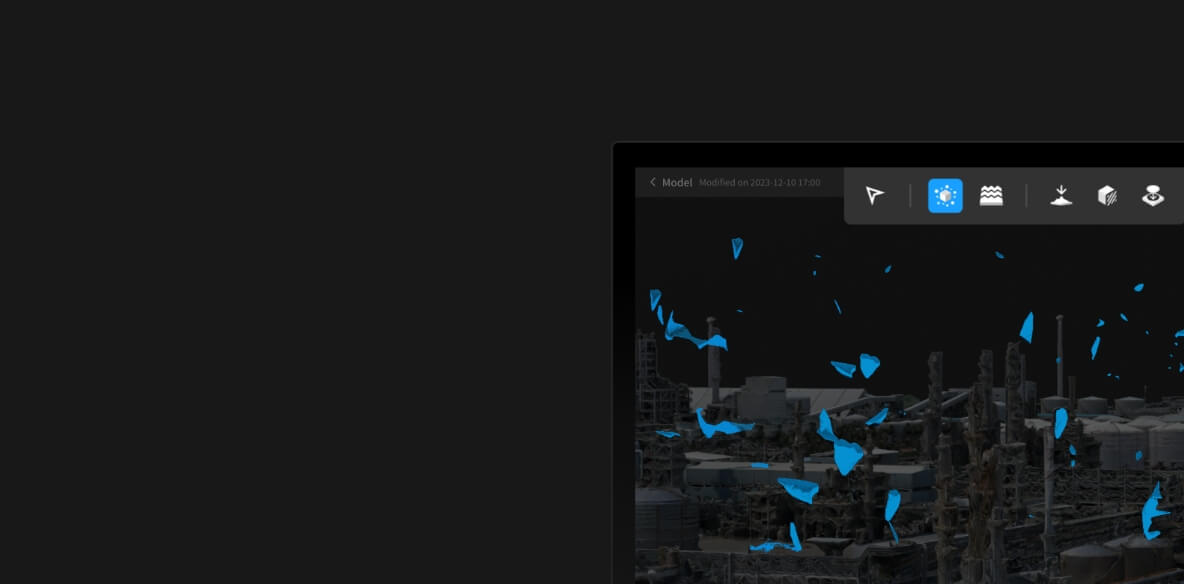
DJI Modify is DJI’s first intelligent 3D model editing software, purpose-built to handle point cloud and mesh data with minimal friction. Point cloud smoothing, noise reduction, downsampling, and classification all run quickly, with one-click category adjustment and automatic terrain result generation removing the manual steps that slow down post-processing. The software identifies and repairs 3D mesh issues floating objects, structural holes, vehicle artefacts automatically and accurately, producing clean textured outputs. Paired with DJI Enterprise drones and DJI Terra, it completes a fully integrated capture-to-delivery workflow.
DJI Terra and DJI Modify
Seamless Workflow [1]
Streamlined Interaction
Efficient 3D Point Cloud Repair
Efficient 3D Model Repair [2]
Cloud Sharing
Quick Delivery

DJI Terra and DJI Modify
Seamless Workflow

DJI Modify handles both 3D mesh and point cloud editing in a single environment, generating terrain results that import directly into GIS and CAD platforms without conversion steps. The full workflow aerial data capture with DJI Enterprise drones, reconstruction in DJI Terra, editing and model repair in Modify, then cloud sharing β€” operates as a continuous connected pipeline covering surveying and mapping, firefighting, emergency response, and transportation applications.

Streamlined Interaction

Simple Operation
Efficient Workflow
Show Both High & Low Quality Models
Rich Point Cloud Display Modes

DJI Modify’s interface is designed to get users productive quickly the layout is logical enough that the basic workflow becomes clear without a training investment. Controls stay intuitive and editing tools stay practical, which keeps the focus on the model rather than on navigating software complexity.

Efficient 3D Point Cloud Repair

Smart Filter

Smart Filter handles city and multi-building point cloud datasets by automatically differentiating between ground, vegetation, buildings, electrical wires, towers, vehicles, and dynamic objects. The initial automatic classification sets the baseline, and Quick Selection and Structure Selection tools then enable precise category refinement where the automated result needs adjustment improving final classification accuracy without requiring manual point-by-point assignment across the full dataset.

Manual Classification

When automated classification produces incorrect ground point assignments, DJI Modify provides four manual selection tools Polygon, Rectangular, Brush, and Single Selection to reassign categories directly. The Tolerance parameter extends selection to neighbouring points sharing the same or similar colour values, letting operators capture consistent regions of misclassified data in a single action and update their category with one click rather than working through them individually.

Point Cloud Processing

Noise reduction, downsampling, and smoothing each apply to the full dataset or to a user-defined selection within it. Noise reduction removes isolated erroneous points that degrade overall dataset quality. Downsampling adjusts point density either by distance threshold or by percentage, adapting the dataset to storage and processing requirements. Smoothing works on localised discrete noise that creates irregular surface representations, clarifying structural geometry at the point cloud level.

Terrain Result Generation

Classified ground point clouds process in DJI Modify into survey-grade terrain outputs Digital Elevation Models, contour lines, point grids, and Triangulated Irregular Networks all generate from the same classified dataset. The results meet the accuracy and format requirements of land surveying, topographic mapping, urban planning, and infrastructure assessment workflows.

Efficient 3D Model Repair

Floating Parts Removal

Floating mesh artefacts select either individually or in groups through box selection, then remove with a single button press or keyboard shortcut. DJI Modify renders an immediate post-removal preview, letting the operator confirm the result before committing which keeps the correction process fast without risking irreversible changes to areas of the model that were correctly reconstructed.

Flattening

Vehicles in the 3D mesh select through polygon drawing or through the Vehicle identification button, which automatically locates and highlights all vehicle meshes in the current view. A single Flatten operation collapses the selected meshes to ground level, and DJI Modify automatically processes the textures in the flattened zones to match the surrounding surface the repair blends seamlessly without visible patching or texture discontinuities at the edges.

Texture Repair

Two texture repair modes handle different scenarios. Erase mode analyses the surrounding texture pattern and fills the selected area to match a fast, automatic repair that works well for consistent surface textures. Clone mode lets the operator select a source area manually and drag its pattern into the repair zone, with DJI Modify blending the edges into the surrounding surface so the join is invisible in the final output.

Hole Fill

Structural holes in the mesh are detected and highlighted automatically DJI Modify outlines each gap and makes them easy to identify across the full model without manual inspection. Hole repair selects by clicking or framing the perimeter, with the option to adjust the repair boundary before committing. One click fills the selected hole and restores the texture to match the surrounding surface, with blending applied automatically at the edges.

Water Surface Repair

Water surface areas draw directly onto the model through a click-based tool, with range, elevation, shape, and position all adjustable after the initial placement to match the actual water body geometry. DJI Modify fills the defined area with either a contextual texture pattern or a custom colour during the drawing process, producing a natural-looking water surface repair that integrates with the surrounding terrain model.

Cloud Sharing, Quick Delivery

Completed models export quickly in PLY, OBJ, and B3DM formats all compatible with DJI Terra and the third-party GIS, CAD, and visualisation platforms that downstream teams typically work in. Processed models push to the cloud and generate a shareable link that recipients open directly in a browser or on mobile without installing DJI Modify or any other software to view the result.

Modify License Plans

Feature/Version Standard Flagship
3D Mesh Editing βœ” βœ”
Point Cloud Editing β€” βœ”
Terrain Result Generation β€” βœ”
Cloud Sharing βœ” βœ”
Export Results βœ” βœ”
Bind Device 1 Device 1 Device
Authorization Mode Online Online
Validity Period Permanent Permanent
How to Buy Contact Us Buy Now

Got questions?

DJI Modify Frequently Asked Questions

What is the price of DJI Modify in UAE?

DJI Modify licensing is available in the UAE through Aerosmart, Dubai, with pricing depending on the license tier and term selected. Request a same-day quote in AED with regional invoicing.

What is DJI Modify used for?

Cleaning reconstructed 3D models repairing textures, flattening water surfaces, removing vehicles and floating artefacts β€” so deliverables look professional without hours of manual mesh editing.

Does DJI Modify work with DJI Terra?

Yes it is designed as the editing stage after Terra reconstruction, opening Terra outputs directly and exporting standard formats for GIS and CAD use.

Who uses DJI Modify in the UAE?

Survey firms, construction contractors and government mapping teams that publish 3D models to clients and need them presentation-ready.

Does DJI Modify come with support in the UAE?

Yes Aerosmart provides activation help, workflow guidance and ongoing regional support for every DJI Modify license supplied in the UAE.

Request for a Quote

Your journey into the extraordinary begins here. Share your details for a personalized DJI Modify quote and let your imagination soar.

    βœ… Thank you for reaching out. Your message has been successfully sent, and our team will get in touch with you shortly.